
How to use PatchMemo GX
PatchMemo GX is a note-taking app for recording and organizing your BOSS GX-1 patch settings. This guide walks through what each of the four screens does and how to use them.
Why keep it at hand
No hardware, instant recall
No need to connect to the GX-1. Look back over the tones you built, anytime, right in your hand.
Built for readability
Both the patch list and the detail screen are designed for clarity, so you instantly recall “which patch was that again?”.
All on your device
Everything you enter stays on your device. No internet needed — open it the moment inspiration strikes.
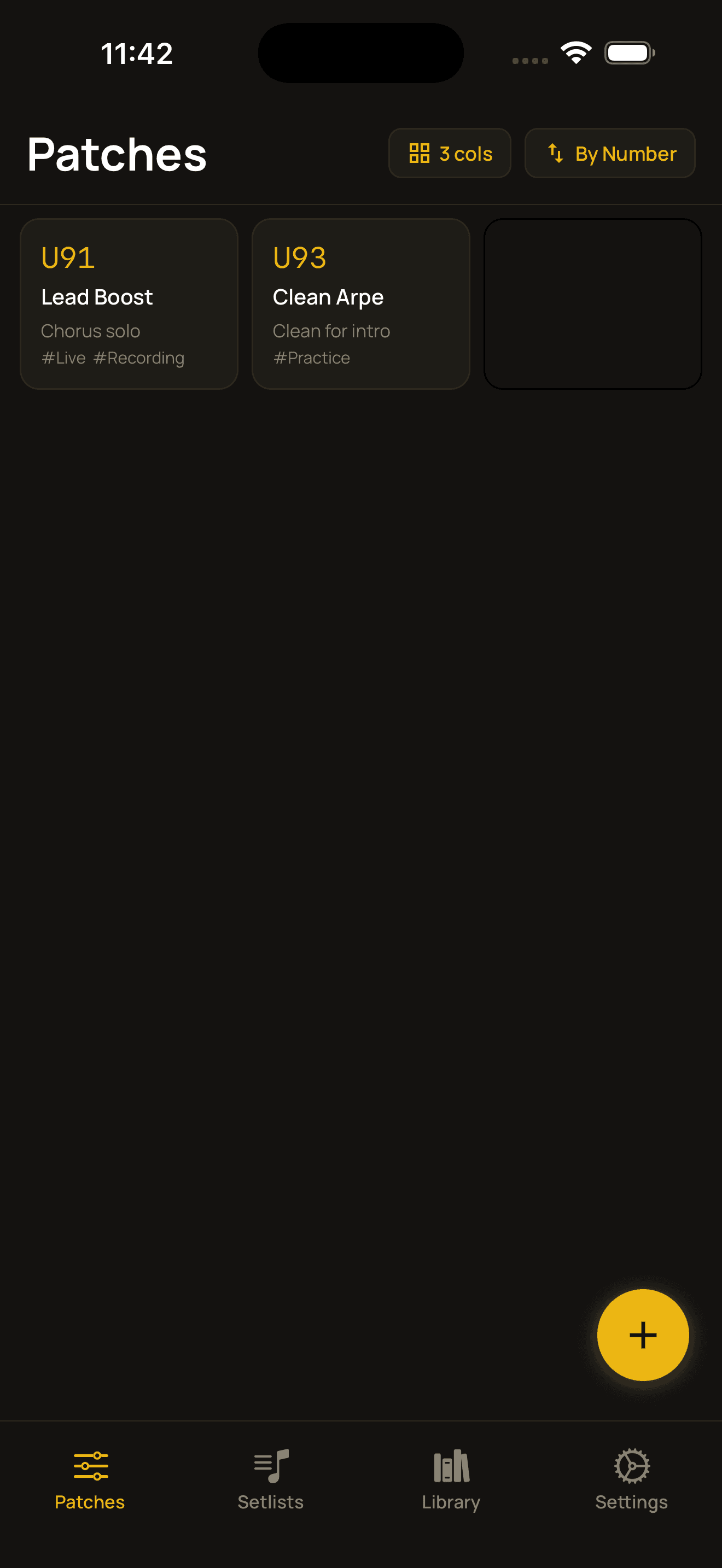
Patch list
The first screen you see when you open the app. Your patches are laid out in a grid, and you create, sort, and edit them from here. Numbers map to the GX-1's user patches (U01–U99).
- ›Each card shows the number, patch name, CAB (cabinet) status and tags, so you can tell them apart at a glance.
- ›When you have no patches yet, a few sample patches are included so you can explore as you go.
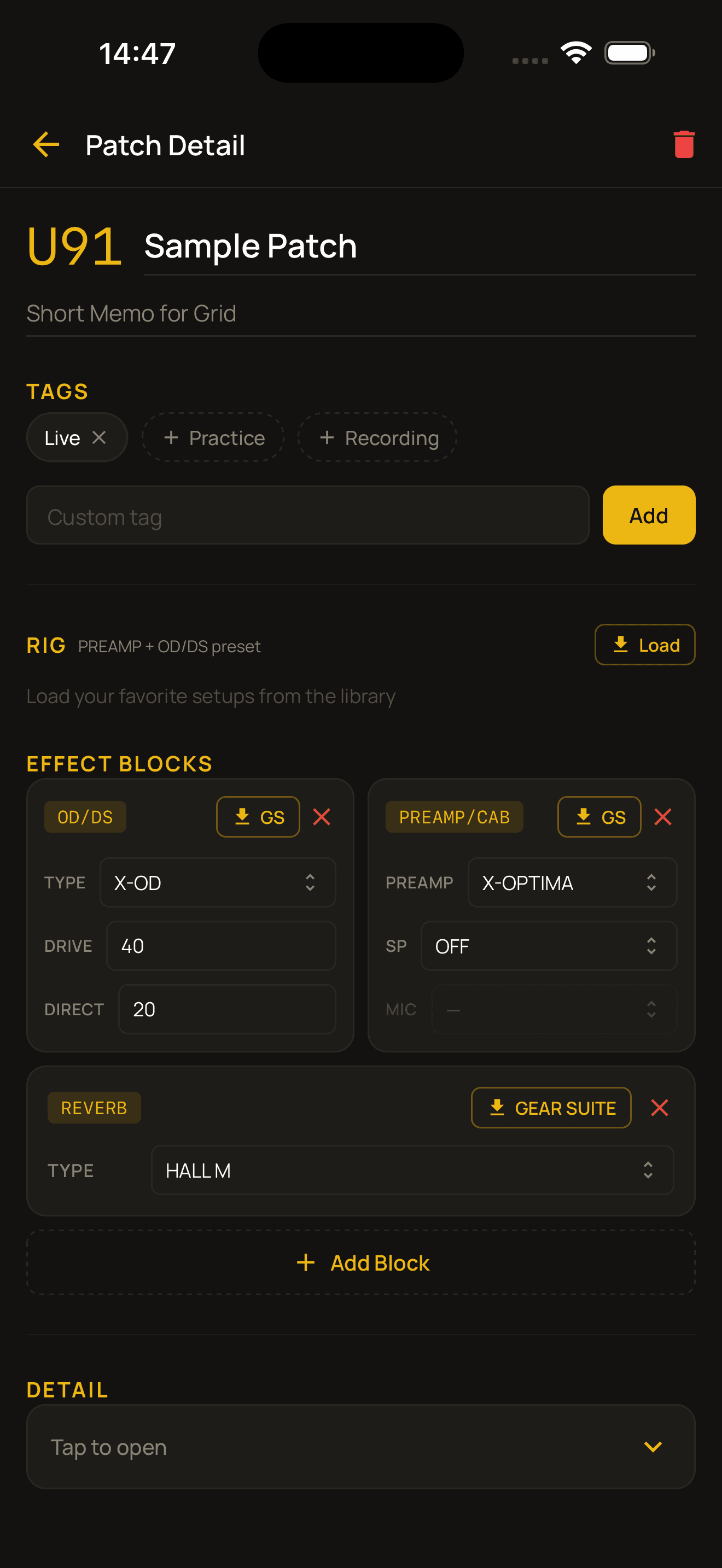
Patch detail
Where you record and edit all of a single patch's settings. From top to bottom it splits into three blocks: Basics (name & tags), Sound (RIG & effect blocks), and Detail (DETAIL & notes). Your input is saved automatically.
- ›You can return to the list anytime with the back button — your input is already saved.
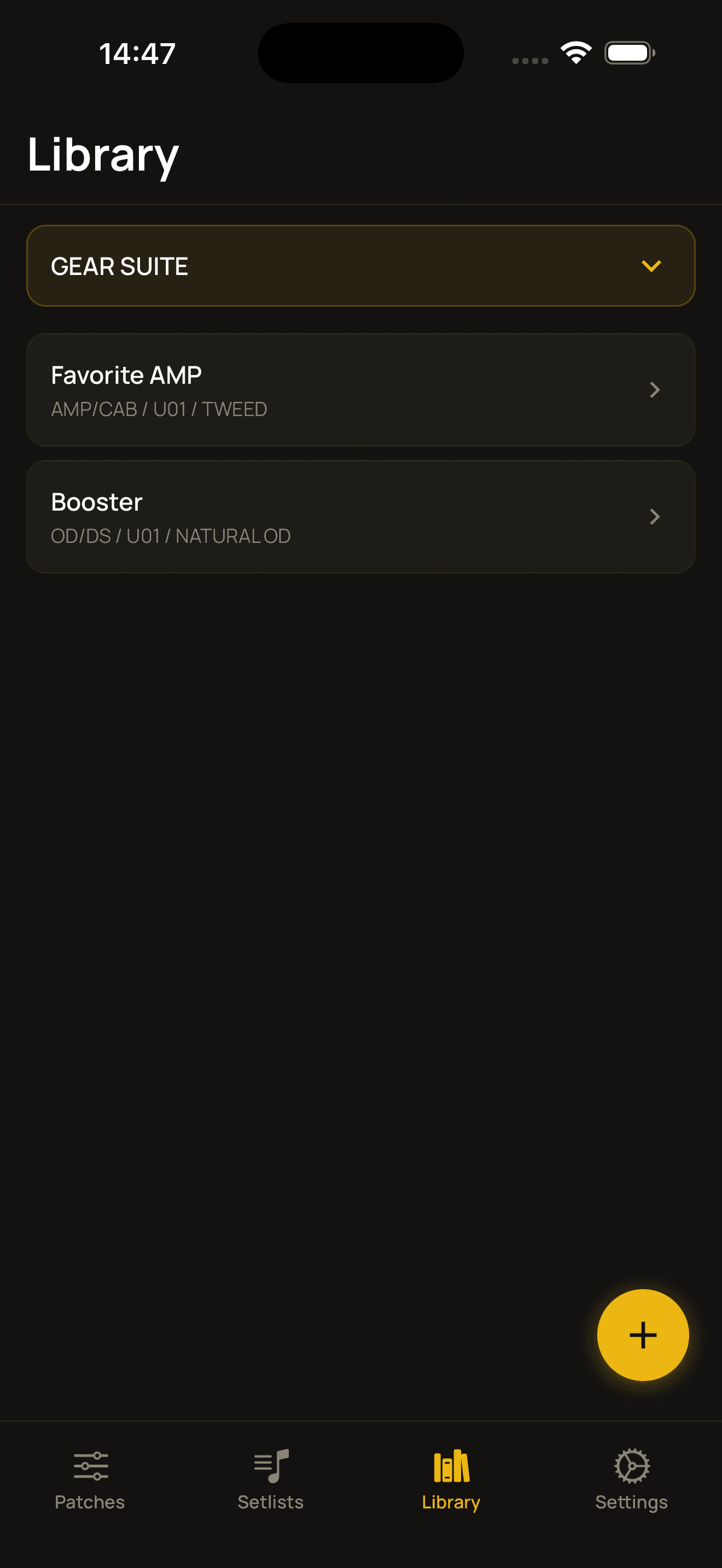
Library
Where you save settings you use often as templates, to load into patches again and again. There are four categories: Rig, GEAR SUITE, Guitar and Environment.
- ›The library only holds templates. Loading one into a patch copies its contents, so editing the library never changes existing patches.
- ›If you reuse the same amp settings often, save them as a Rig and recall them in one tap.
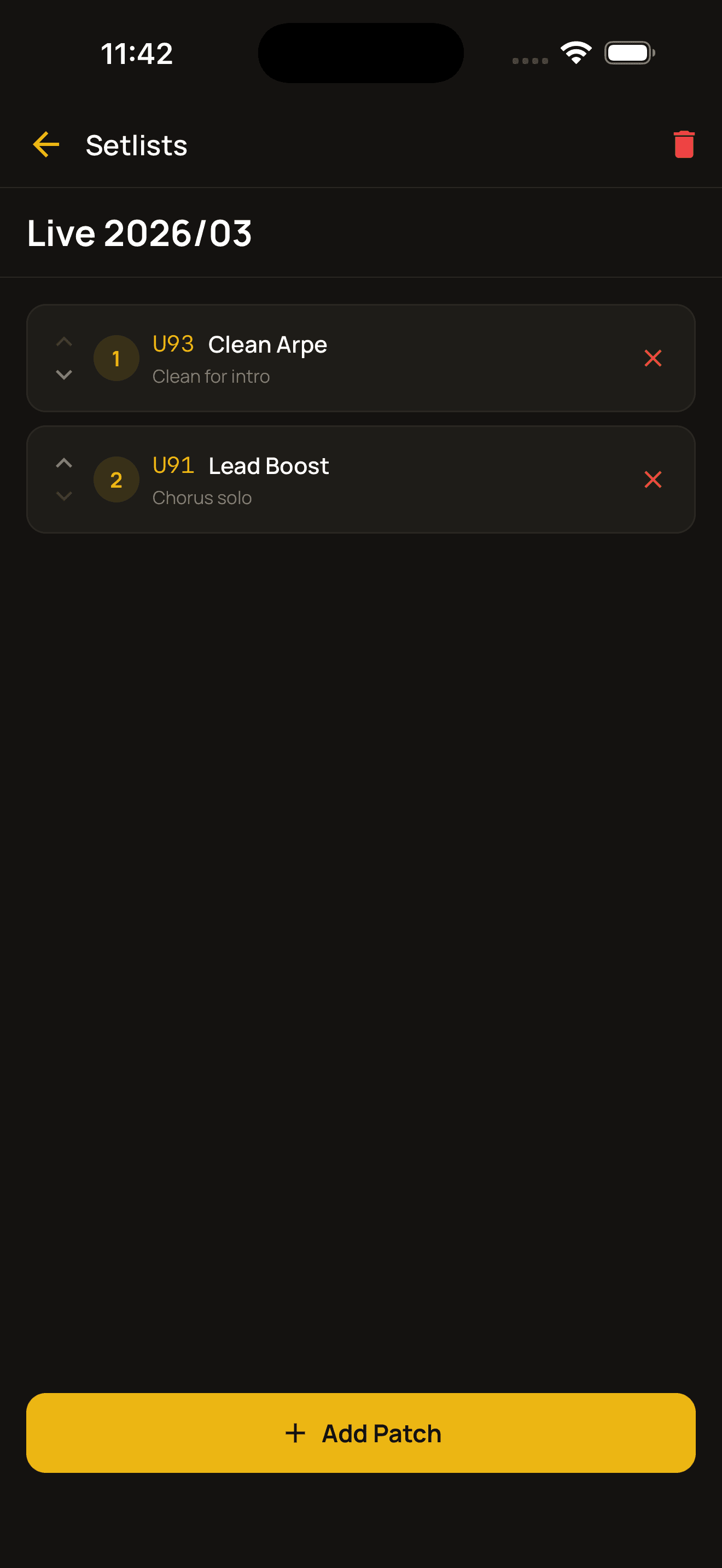
Setlist
Build a list of patches in the order of your live show or rehearsal. Not only can you instantly see which patch comes next on stage — keep one per show and it becomes a record of “which patches did I use back then?” to look back on later.
- ›Arrange them in your actual song order and you'll never get lost on stage.
- ›Keep one for each show or rehearsal and you can always look back on “what setup did I use at that last gig?”.
- ›If you delete a patch, it's automatically removed from your setlists too.
Put an end to “which patch was that again?”
No hardware connection needed. Everything is stored on your device and always at hand.
View on the App Store